Introduction to the Dragon Documentation Format
Building a static website: part 13
 01-JUL-2026
Table of Contents
- Background
- Main concepts
- Commonly used syntax
- 3.1 Comments
- 3.2 Headings
- 3.3 Paragraphs
- 3.4 Line breaks
- 3.5 Emphasis
- 3.6 Block quotes
- 3.7 Lists
- 3.8 Code and code blocks
- 3.8.1 In-line code
- 3.8.2 Code blocks
- 3.8.3 TTY/command output blocks
- 3.9 Tables
- 3.10 Links
- 3.11 Images
- 3.12 Other regular syntax
- 3.13 Aliases
- Significant limitations
- Comparison with Markdown and AsciiDoc
- Processing Dragon Doc into HTML
- Conclusions and design decisions
In this blog post, I want to explore what I refer to as Dragon Documentation Format, which is a text file-based syntax, which I use to author webpages. I have referred to this briefly before in this series of blog posts, but now I want to dive into some detail, including subjects such as:
- The background to why it exists at all.
- How was it developed and where might it go in the future.
- The main concepts.
- Significant limitations and how some of them might be addressed.
- How does it compare with similar things such as Asciidoctor (AsciiDoc) and Markdown.
1. Background
As I mentioned at the start of my very first blog post in this series, I used to work for a large enterprise software company as both a Software Engineer and Applications Architect, which amongst other things, involved maintaining technical and design documentation, written locally and uploaded to an internal website. The great majority of these documents were written using HTML.
At first, I used a combination of writing HTML directly in a text editor (vi and vim) and occasionally using applications such as the Seamonkey HTML composer (which used to be the Mozilla Application Suite. Note, I still sometimes use Seamonkey today.
Due to worsening RSI symptoms, I started using Dragon NaturallySpeaking to help me write documents. This consisted of me dictating the basic text I wanted into a Windows notepad window and then pasting this into another file that I turned into HTML, by a combination of normal text editing and the use of vi macros to add things such as paragraph tags. This meant that the bulk of the typing was done through the voice dictation software and that did help a great deal.
Eventually, I began to realise it might be possible to take the text files that I was dictating and run them through one or more sed scripts, to avoid as far as possible adding relevant HTML tags manually. Things like paragraphs were very straightforward (they are just lines of text), but I quickly realised that I would have to come up with some kind of easy to dictate text format that would support requirements such as headings, URLs, lists and so on.
This evolved into a series of sed and bash scripts, that I now refer to as Dragon Documentation Format (or alternatively Dragon Doc), the name directly coming from my use of Dragon NaturallySpeaking, which in my case, has proved indispensable.
One obvious question that somebody might ask is why this, rather than using something like Markdown? Although it is quite a long time since I started developing this, so it is difficult to remember exactly, I think there were a few reasons:
- I'm not sure that I had really heard of potential alternatives such as Markdown, when I started working on my approach.
- As I mentioned briefly earlier, I wanted to make the syntax as easy as possible to dictate, which, even after I had ended up looking at things like AsciiDoc and Markdown, had and has syntax that I feel is relatively difficult to dictate.
- I have been able to design Dragon Documentation Format to tie in very closely with the way that I write and publish webpages, which isn't the case for alternatives.
- After years of working with my own syntax, it would take significant effort to move to something else, which I feel is something I don't want to worry about.
Having said all that, it has evolved over quite some time and I have taken some ideas from Markdown and AsciiDoc.
2. Main concepts
The following is a summary of the main concepts that drove or continue to drive the design of the Dragon Doc format.
- It was designed largely from the point of view of being relatively easy to dictate using the software that I use (currently, Dragon NaturallySpeaking version 12). This remains an important consideration as I continue to expand the syntax.
- It is specifically intended to be converted directly to HTML and no other format. Other tools could be used to convert the output to things such as PDF, but it is not designed to do that itself.
- It is possible to embed HTML directly in a Dragon Doc file, but I have done my best to try and avoid that by adding syntax that supports what I require.
- It uses a combination of sed scripts and bash scripts to perform the conversion, which naturally does lead to some limitations, but ones that I can live with.
- It is tied directly into the way that I personally author and publish webpages.
- It has to be adaptable enough for the distinctly different purposes I use it for. In particular, alongside the public webpages such as the one you are reading now, I also use it for private internal documentation and diary writing, which all have somewhat different requirements.
3. Commonly used syntax
To give an idea of what it contains, this section points out some of the most commonly used elements. Each sub-section contains one or more examples of the syntax in question, what the rendered HTML looks like and where useful, has some comments on the thinking behind the syntax.
Note that I am working on a detailed reference document that is intended to document all of the available syntax, but it has not been finished at the time of writing this blog post. I intend to update this post when that document is available.
3.1 Comments
Comments can be used both for commenting the actual Dragon Doc file, or be passed through to the output HTML. Comments must begin at the start of a line.
I thought that it was important to have at least one comment format that would output to the generated HTML, because anyone looking at that HTML would clearly not see other comments that were just in the Dragon Doc text file.
| Example | HTML |
|---|---|
// A comment on that will appear in the HTML. |
<!-- A comment on that will appear in the HTML. --> |
========== A comment that will not appear in the HTML. ========== |
|
/* A comment that will not appear in the HTML. */ |
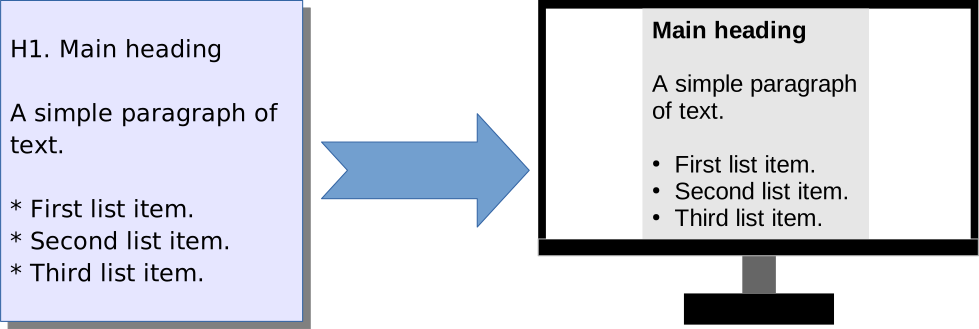
3.2 Headings
There are several styles of headings, to be used depending on the circumstance required. Examples of these are shown below. All of these need to begin at the start of a line.
There are several different formats to define headings. This is because my requirements have changed over time (I started developing this originally back in 2016).
Different headings reflect the basic overall page structure and this is how it has worked for me.
- The first example shows a heading that is rendered as
<h1>, but with a class name that shows it is the main document title. Only one of these exists for each page. - The next two examples allow straightforward headings, which range from
<h1>to<h6>. - The following three examples allow the page to be divided up with numeric headings, with the top level heading "1." Being represented by
<h1>and using ID value that can be used as a target, which can be targeted and allows the creation of a table of contents. - The next two examples are very similar to the above, but this time the top level numeric heading "#1" actually generates
<h2>. The reason for this is that I wanted to properly reflect the headings hierarchy, where you have only one<h1>heading tag within the document and every other heading is at a lower level. Given that each web page has a special title that renders as<h1>, the subsequent main section titles are then<h2>and lower. - With final example shows how we can define a heading with a specific ID. These ID value is always start with "#ID_". This is useful if numeric heading values are not appropriate, but still allow the automatic creation of a table of contents.
| Example | HTML |
|---|---|
T1. Main document title |
<h1 class="main_title">Main document title</h1> |
H1. Heading level 1 |
<h1>Heading level 1</h1> |
H6. Heading level 6 |
<h6>Heading level 6</h6> |
1. First level heading |
<h1 id="c_1">1. First level heading</h1> |
1.2 Second level heading |
<h2 id="c_1.2">1.2 Second level heading</h2> |
1.2.3 Third level heading |
<h3 id="c_1.2.3">1.2.3 Third level heading</h3> |
H2 #1 Main heading |
<h2 id="c_1">1. Main heading</h2> |
H3 #1.1 Secondary heading |
<h3 id="c_1.1">1.1 Secondary heading</h3> |
H1 #ID_target_A This Is a Level One Heading with ID |
<h1 id="ID_target_A">This Is a Level One Heading with ID</h1> |
3.3 Paragraphs
Although there are a couple of options, paragraphs are overwhelmingly represented by a single line of text, beginning at the start of a line., I.e. you cannot put in any line breaks, because each one would be interpreted as a separate paragraph. In rare cases where a paragraph needs to be inserted and it can't begin at the start of the line, there is an alternative paragraph markup, which is also shown below.
The reason why a paragraph has to be just a single line of text, without any line breaks is that it is both easier to just dictate a line as long as you need and leave the display formatting to the text editor that is being used and originally, it also made it significantly easier to write the sed script that generates the HTML. I could probably add support for multiple line paragraphs, but I have found no personal need to do so, so I'm unlikely to add this any time soon.
Note that the second example is a much more recent addition to the syntax, because I didn't really need this until I started documenting the Dragon Doc format in Dragon Doc.
| Example | HTML |
|---|---|
A paragraph is a single continuous line of text. |
<p>A paragraph is a single continuous line of text.</p> |
We can use P/special paragraph syntax/P to create a new paragraph. |
<p>We can use <p>special paragraph syntax</p> to create a new paragraph.</p> |
3.4 Line breaks
We can introduce line breaks using some different syntax options.
The first example can be used where you just need to leave all the text on one line. The second example is useful where it is visually easier to have the line breaks in the Dragon Doc text file.
| Example | HTML |
|---|---|
Line one BR/line two. |
<p>Line one<br>line two.</p> |
Rubies are red, + |
<p>Rubies are red,<br>Topazes are blue.</p> |
3.5 Emphasis
There are a number of ways to specify emphasis, examples of which are shown below.
The use of "EM/…/EM" and "ST/…/ST" reflects the relative ease of dictating this kind of thing, versus using '*' or '**', but I've included those for some level of compatibility between Dragon Doc and Markdown/AsciiDoc.
| Example | HTML |
|---|---|
This is a ST/bold phrase/ST. |
<p>This is a <strong>bold phrase</strong>.</p> |
This is **another bold phrase**. |
<p>This is <strong>another bold phrase</strong>.</p> |
This is a EM/phrase with emphasis/EM. |
<p>This is a <em>phrase with emphasis</em>.</p> |
This is a *another phrase with emphasis*. |
<p>This is a <em>another phrase with emphasis</em>.</p> |
3.6 Block quotes
The block quote uses BQ/…/BQ to contain the quote in question and can exist over multiple paragraphs, along with an optional citation URL. For example:
|
Dragon Syntax |
HTML |
|
|---|---|---|
|
BQ [https://arstechnica.com/]/ |
|
3.7 Lists
Dragon Doc supports the classic ordered and unordered lists, as one might expect.
A significant limitation with this currently is that both of them are restricted to a single level, so they cannot be nested. This restriction comes from the use of the sed script for processing, as I have not (yet) worked out how to get round this limitation. It is unfortunate, but personally I've not found it to be a significant restriction.
If absolutely necessary, you can embed HTML directly, which would allow the nested lists (and a lot more of course).
|
Dragon Syntax |
HTML |
|---|---|
# First item # Second item # Third item # Fourth item |
|
* First item * Second item * Third item * Fourth item |
|
3.8 Code and code blocks
Code (i.e. various programming languages) can be represented in a number of ways, divided between "in-line code" and "code blocks". The on-screen rendering is generally very similar, but the difference is that the former is in line with other text (within an explanatory paragraph for example), while code blocks are one or more lines, displayed separately. Note there is not (currently) any support for syntax highlighting, although that might be possible that some point in the future.
I don't have particularly sophisticated support for multiple languages, although there is some special treatment for HTML and SQL, which is a reflection of the kind of blog posts and documentation I am writing at the moment and in the latter case, because of the job I used to do. It is many years since I was a coder, other than the occasional bash and sed script!
3.8.1 In-line code
Where snippets of code appears with other text, that code can be delineated in a number of ways, by enclosing the code snippet between "CD/…/CD", "[[…]]", or "{{…}}", Depending on the circumstances. For example, if the code happens to include one of the relevant characters used to enclose the code snippet, then one of the others can potentially be used, to avoid having to escape any of the characters. Some examples of in-line code are as follows:
| Dragon Syntax | HTML | |
|---|---|---|
CD/if(x == 1) { y = 3 };/CD |
<code class="code_inline">if(x == 1) { y = 3 };</code> |
|
We can use [[width: 50px]] to control the size of a block HTML element. |
<p>We can use <code class="code_inline">width: 50px</code> to control the size of a block HTML element.</p> |
|
Set the array value: {{array[0] = 1;}}. |
<p>Set the array value: <code class="code_inline">array[0] = 1;</code>.</p> |
|
~<html class="main"> |
<code class="code_inline lang_html"><html class="main"></code> |
The final one is a way to quickly dictate a single HTML tag as code, which for the example above, looks like <html class="main">.
3.8.2 Code blocks
This allows exactly what it says on the tin: blocks of code (such as HTML, SQL and so on) are displayed with some background highlighting. Note that, as mentioned earlier, there is currently no syntax highlighting. Three examples appear below, which are in HTML block, an SQL statement and an extract from one of the sed scripts that I use for generating HTML.
The code block for the SQL statement is significant because it shows a specific syntax for SQL statements, which is something I used a lot in the past, although not so much now.
|
Dragon Syntax |
HTML |
|---|---|
[[<html> <head> <body> </body> </head> </html>]] |
|
SQL
select hoi.org_information_context,
       hoi.org_information2
from   hr_organization_information_f hoi
where  hoi.org_information_context <> 'ORA_PER%';
|
|
[[s/~left arrow;/&larr####/Ig s/~up arrow;/&uarr####/Ig s/~right arrow;/&rarr####/Ig s/~down arrow;/&darr####/Ig]] |
|
3.8.3 TTY/command output blocks
This type of block is used to display what can roughly be described as console or TTY computer output. The kind of thing that you get when opening and using the commandline terminal. These blocks are delineated by [[[…]]]. Visually speaking, this looks very similar to code blocks, but this could change in the future. An example is shown below:
I've included some fairly nonsense text in the output, just to demonstrate how only necessary character conversion is performed, meaning that you can include almost anything printable in the output.
|
Dragon Syntax |
HTML |
|---|---|
[[[Reading package lists... Done :-) The & should be unchanged Building dependency tree ;-) Reading state information... Done :-D Calculating upgrade... Done :-( The following <packages> will be upgraded:]]] |
|
3.9 Tables
The basic table format is reasonably straightforward. It uses pipe (|) symbols to structure the header and subsequent rows of the table. It is also possible to add row and column span. An illustration of the syntax is shown below.
| | Heading 1 | Heading 2
| Cell in column 1, row 1 |Cell in column 2, row 1
| RS 2; Cells in column 1, row 2 and 3 are merged | Cell in column 2, row 2
| Cell in column 2, row 3
| CS 2; Cells in column 1 and 2, row 4 are merged
The generated HTML is:
<table>

<thead>
<tr>
   <th>Heading 1</th>
   <th>Heading 2</th>
</tr>
</thead>

<tbody>

<tr>
   <td>Cell in column 1, row 1</td>
   <td>Cell in column 2, row 1</td>
</tr>

<tr>
   <td rowspan=2>Cells in column 1, row 2 and 3 are merged</td>
   <td>Cell in column 2, row 2</td>
</tr>

<tr>
   <td>Cell in column 2, row 3</td>
</tr>

<tr>
   <td colspan=2>Cells in column 1 and 2, row 4 are merged</td>
</tr>

</tbody>

</table>
3.9.1 Table limitations and other formats
I think is worth a quick discussion about table support.
The basic table format described above works well in plenty of situations, but tables are very awkward to support in more complex cases, which would include for example, the inclusion of an ordered list within a table. Frankly, there is no easy way to deal with this problem.
The interesting thing is that this is yet another issue that only became particularly significant very recently, when I started documenting the Dragon Doc format. Briefly, there are a couple of ways to deal with this problem:
- Use the ability to output HTML directly, which of course allows any level of complexity that is required, but is clearly against the spirit of using a textbased format.
- Introduce a more flexible (and thereby more complex) table format into Dragon Doc.
In the end, there is support for the first solution, but I have also implemented the second one. However, this table format is not something I'm going to discuss in this blog post, as otherwise it will end up being even longer and more detailed than it already is.
3.10 Links
I don't think I could have an introduction about Dragon Doc, without outlining the syntax for linking to other pages (and other URLs). The following are the most important ones.
| Dragon Syntax | HTML | Description |
|---|---|---|
This is [my home page] [https://www.saxbynet.com/index.html]. |
<p>This is <a href="https://www.saxbynet.com/index.html">my home page</a>.</p> |
Absolute URL. |
The [Building a static website] [../../blog/building_a_static_website/index.html] blog post series. |
<p>The <a href="../../blog/building_a_static_website/index.html">Building a static website</a> blog post series.</p> |
Relative URL. |
Look at the [Background and introduction] [1] section. |
<p>Look at the <a href="#c_1">Background and introduction</a> section.</p> |
Internal reference to H1 heading. |
Refer to the URL [Dragon Documentation headings] [2.2] section. |
<p>Refer to the <a href="#c_2.2">Dragon Documentation headings</a> section.</p> |
Internal reference to H2 heading. |
[My home page] ["The place to go for blogs, Linux and DIY" https://www.saxbynet.com] |
<p><a href="https://www.saxbynet.com" title="The place to go for blogs, Linux and DIY">My home page</a>.</p> |
URL reference with title attribute. |
3.11 Images
Although I wanted to avoid specifying every bit of syntax for Dragon Doc in this blog post, I do want to discuss a bit of the thinking behind the thorny issue of including images and how I have dealt with this so far. I have already covered some aspects of supporting images in previous blog post entries (including Introduction to images and Introduction to responsive images, which pointed out some of the complexities.
In theory, including images in webpages should be nice and straightforward, but the reality is that it's something of a pain, because of a number of reasons, particularly when we consider bitmap images. Problems include both the physical size (in pixels) and the file size of images. One of the classic situations is where we have a large, high-resolution image, but we don't wish to serve that to people who are viewing our pages on a smartphone. In some cases, things can be made more complicated by art direction, where we can serve different images, for example where we can switch between landscape and portrait, where that is useful. I'm not going to go through any of those details, because I've covered these concepts in earlier blog post, as I mentioned previously. However, this does underline the difficulties that we have to deal with.
An extra problem that we have to consider specifically for something like the Dragon Doc format is that the complexity behind images needs to be included within a manageable number of textbased formats. If you are writing HTML directly, then although the image syntax can be awkward, you are at least in a position to write what ever you want or need, whereas if you are defining a textbased format for images, you have to understand what you actually need and that can prove quite difficult. Also, from my perspective, as always I have to think about being able to dictate the text and frankly, images can often be awkward from that point of view.
As one concrete example, the following is used in bed the header image of the top of the page. In this case, we have the image URL and alt text for the image.
IMG [images/bp13_header_image_lod.svg] [Main illustrative blog post header image.]
I will be discussing a lot more about the support for images in future blog posts.
3.12 Other regular syntax
The Dragon and Documentation Format (Dragon Doc) contain significantly more features than mentioned in this blog post. As this was intended as an introduction, I have not attempted to list everything here. As I mentioned earlier, I am working on a much fuller reference guide, which will be published when I feel it is ready enough. This blog post will be updated to point to that document. Amongst other things, there is a syntax that provides support for:
- Horizontal rules
- Videos
- Character escapes
- The direct inclusion of HTML
- Footnotes and references
- Certain select emoji
- Subscript and superscript
- Admonitions
- Table of contents
3.13 Aliases
Dragon Doc includes the general concept of what I refer to as "aliases". These are just text substitutions that are intended to make the dictation of certain text easier than it might otherwise be. These are mostly contained in a separate sed script, which executes before the main Dragon Doc HTML conversion.
Very often, I prefix the text to be substituted with the '~' character. This is because it is easy to dictate that in Dragon NaturallySpeaking and allows me to easily distinguish the text substitution strings from normal text.
A specific example would be dictating CSS properties. To illustrate, a few of the aliases that I have include:
| Dictated Text | Converted to |
|---|---|
| ~colour | color |
| ~in-line grid | inline-grid |
| ~grid template columns | grid-template-columns |
Those examples show how I can overcome the difficulties with things such as me dictating in British English, where CSS syntax requires US English, or making it a lot easier to dictate text that includes hyphens.
Another example of using this approach to make dictation easier, is to convert something like "~UPPERCASE_CHARACTERS" into "'UPPERCASE_CHARACTERS'" (note the additional added single quotes surrounding the characters). I don't use this much these days, but it was useful back in the day when I wrote certain kinds of design documentation.
I also use aliases a lot to define shortcuts to things like certain often used postal addresses, or to compensate for certain common dictation issues.
As a side note: anyone who knows or uses dragon NaturallySpeaking, they will probably realise that you can add extra vocabulary, which can be used for some of the things that I use aliases for. However, it is not possible to use that some things and I often want to avoid cluttering extra vocabulary within that application and find it better to use an alias instead. That way I have more control.
URL aliases
I also have a separate sed script, which applies aliases to commonly used external URLs. For example, [Wikipedia homepage] might be translated to <a href="https://en.wikipedia.org/wiki/Main_Page">Wikipedia homepage</a>.
At the time I am writing this (01-JUL-2026), I don't actually use this feature, partly because I don't have a good way of dealing with internal references, which would likely prove more useful and that sometimes, it can be difficult to remember what URLs I have actually set!
4. Significant limitations
I would be the first to admit that as it stands today, the Dragon Documentation Format has significant limitations, both in the way that it supports what I'm trying to achieve personally and in comparison with its obvious rivals, such as Markdown and AsciiDoc. As far as the latter is concerned, I am going to look at that in more detail in a later section.
I think the first thing to point out is that, as I discovered particularly during the writing of this blog post, that Dragon Documentation Format syntax is terrible for documenting that same syntax! 😀 Attempting to do so left me having to do a lot of work that I hadn't realised it would be necessary. As it is my invention, I guess I don't need an excuse, but if I had one, it would be that it was never designed in any way for that purpose. It is much easier for the 99% of tasks that it was designed for.
4.1 Some specific limitations
The sort of thing that is particularly difficult is nesting certain kinds of Dragon Doc syntax within itself. For example, including an unordered list within a table cell, using the standard table syntax is very difficult or impossible without using embedded HTML.
It is also not currently possible to have a multilevel list, or nest an ordered list inside an unordered list, which is essentially the same as the previous limitation and can make use of the same solution if absolutely necessary. Personally, I work hard to avoid the need to do that.
5. Comparison with Markdown and AsciiDoc
For those who are familiar with things such as Asciidoctor (AsciiDoc) and Markdown, I thought it might be interesting to make some comparisons between Dragon Doc and of these much more familiar alternatives. This is certainly not intended to be comprehensive in any way, but at least illustrates some of the differences (and similarities).
There are certainly some strong basic similarities between all of these, most notably I think that they are plain text "languages", which can be used to make it easier to author webpages, without using much of the arcane and fiddly syntax that is required to write HTML directly. All of them contain the ability to render common features, such as headings, paragraphs and so on.
As far as the syntax itself is concerned, I understand that Markdown is based on the common plain text formatting often used in early email communications (and continues to be used in some high-volume mailing lists). In contrast, as I have discussed elsewhere, Dragon Doc was primarily designed to be relatively easy to dictate using Dragon NaturallySpeaking.
The Asciidoctor site has a comparison AsciiDoc versus Markdown, which acts as a useful summary. I think it's worth reading, because it avoids me having to come up with something like that myself!
Personally, I would say that Dragon Doc is probably closer in philosophy to Asciidoctor than it is Markdown, in that both Dragon Doc and AsciiDoc both strive to be a more comprehensive solution to authoring webpages and have a single specification, rather than the many different implementations and extensions that Markdown has. Naturally, Dragon Doc has a single specification, because I am the one writing it. 😀
5.1 Comparison of specific syntax
In terms of specific similarities and differences, I had intended to give an overview of some of the comparable syntax in Dragon Doc, Markdown and AsciiDoc. However, as this blog post is about introducing my own format, I decided against including details in this post. Instead, I have been working on a separate document, based on the aforementioned AsciiDoc versus Markdown document
, which I intend to publish when it is (more) complete. I will update the blog post to reference this document when that is done.Note that it was a useful exercise to look at the various differences between those formats and my own, because it generated some useful ideas, including certain features that might be useful to add to Dragon Doc.
6. Processing Dragon Doc into HTML
Although I'm not going to go into great detail, or at least not here, I thought I would make a few notes about how I process Dragon Doc format documents.
Very roughly speaking, I use a bash script to pass the contents of a Dragon Doc file through a set of sed scripts, each of which has a particular defined purpose. Those scripts are listed below, in the order that they are executed, along with a brief description of what they contain. This is intended to give a flavour of how things work.
| Script | Description |
|---|---|
| 001_run_first.sed | Substitutions that must run before everything else (such as character escapes). |
| dragon_aliases.sed | Processing of the various aliases (some of which were described earlier). |
| markup2html.sed | The main processing script that converts from Dragon Doc format into HTML. |
| url_aliases.sed | Allows shortcuts to some commonly used web addresses. |
| 100_run_last.sed | Substitutions that must run after everything else (such as reversing character escapes). |
7. Conclusions and design decisions
In conclusion, Dragon Doc (or Dragon Documentation Format) is a flexible, text based syntax, comparable to Markdown and AsciiDoc, designed, written and maintained by myself, starting from around June 2016. I use it to write and maintain my own webpages. I will continue to make changes I feel necessary.
In terms of design decisions, this blog post has outlined some of those that went into the creation of the Dragon Doc format. I will continue to use the same approach going forward.