Building a static website
 17-NOV-2025, updated 11-SEP-2026
Published posts
Building a static website blog post series. Look at the first blog post or later on this page for background on this project.

Building a static website (part 1)
The first part of a series of blog posts in which I go through the various steps and design decisions I am using to build a static website. Each subsequent post will add further to the site design.
David – 01-AUG-2025, updated 13-AUG-2025

Building a static website (part 2: Introduction to images)
Building a static website from scratch using text files, bash scripts and free tools. In this blog post, I start looking at the subject of displaying images within webpages.
David – 07-AUG-2025

Building a static website (part 3: Screen sizes, logical and physical pixels, resolution and scaling factor)
Building a static website from scratch using text files, bash scripts and free tools. In this blog post, I start looking at the vexed issue of physical and logical sizes, resolution and scaling factor.
David – 18-AUG-2025

Building a static website (part 4: Adding some navigation)
Building a static website from scratch using text files, bash scripts and free tools. In this blog post, I take a detour into adding some basic site navigation, while exploring semantic HTML elements and website structure.
David – 21-AUG-2025, updated 06-SEP-2025

Building a static website (part 5: Introduction to responsive images)
Building a static website from scratch using text files, bash scripts and free tools. In this blog post, I start looking at the subject of displaying responsive images within webpages.
David – 30-AUG-2025, updated 18-MAY-2026

Building a static website (part 6: The CSS box model)
Building a static website from scratch using text files, bash scripts and free tools. In this blog post, I look at the CSS box model.
David – 06-SEP-2025, updated 07-OCT-2025

Building a static website (part 7: The CSS reset)
Building a static website from scratch using text files, bash scripts and free tools. In this blog post, I look at "resetting the CSS", to take better control of the layout.
David – 10-SEP-2025, updated 08-OCT-2025

Building a static website (part 8: Web typography basics)
Building a static website from scratch using text files, bash scripts and free tools. In this blog post, I look at some Web typography basics.
David – 08-OCT-2025, updated 15-OCT-2025

Web typography — more about fonts
Building a static website from scratch using text files, bash scripts and free tools. In this blog post, I look deeper into using fonts on webpages.
David — 15-OCT-2025, updated 17-NOV-2025

Building a static website (part 10: A first look at flexbox)
In this blog post, I look at using flexbox to implement a list of published blog posts.
David — 17-NOV-2025
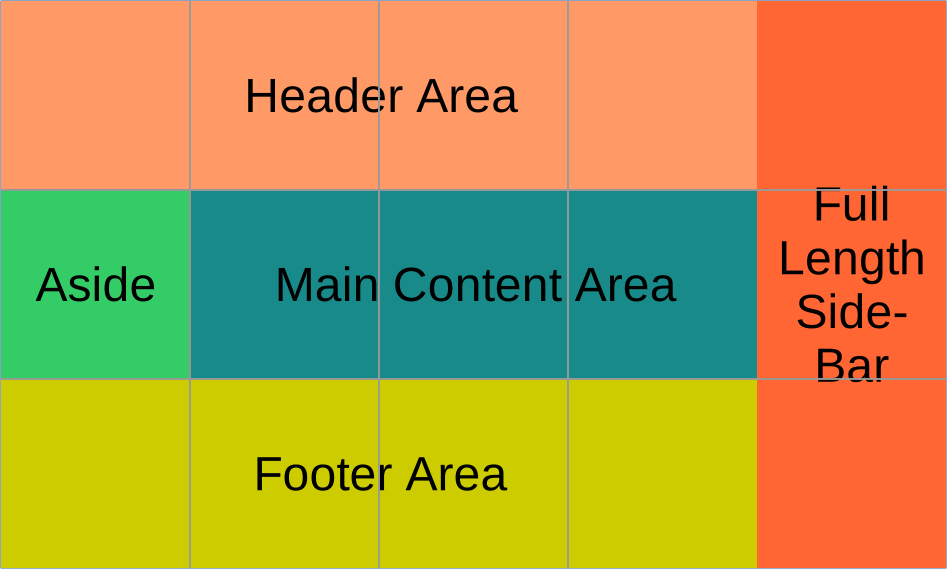
Building a static website (part 11: An introduction to CSS Grid)
In this blog post, I look at the basics of the CSS grid layout technique.
David — 14-JAN-2026, updated 18-FEB-2026
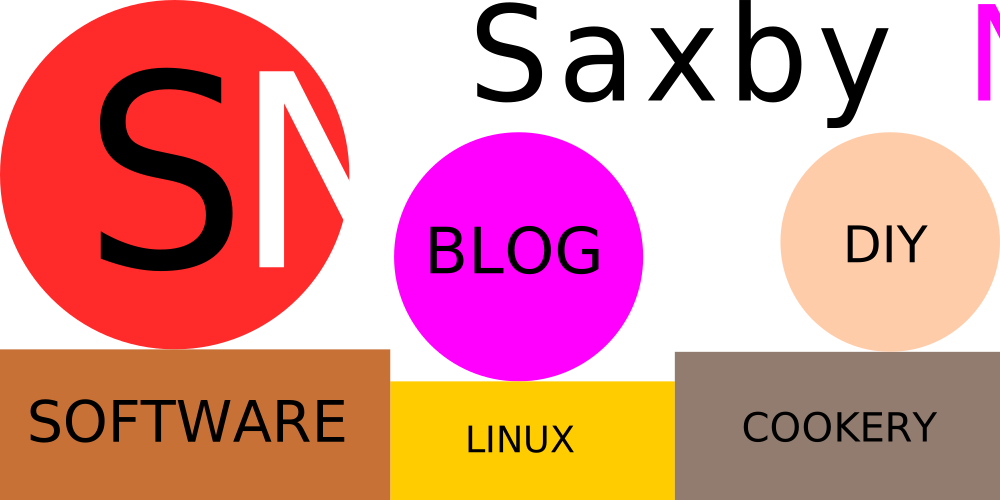
Building a static website (part 12: Designing and prototyping the main website header area)
In this blog post, I want to look at designing/prototyping something more akin to the "real" website main header area.
David — 18-FEB-2026
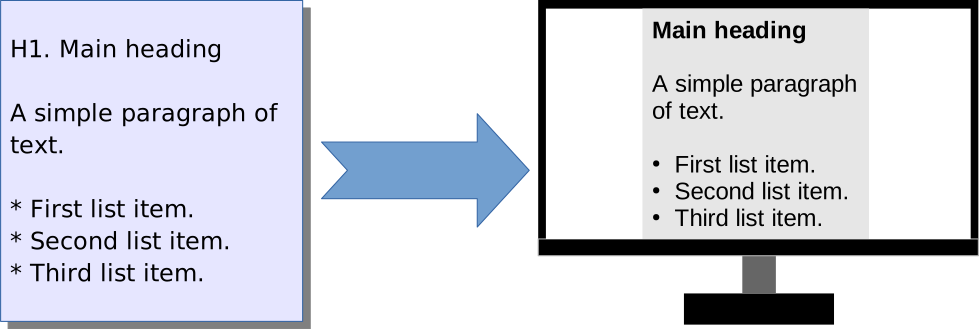
Building a static website (part 13: Introduction to the Dragon Documentation Format)
In this blog post, I introduce the Dragon Documentation Format, which is the text file-based syntax I use to all for webpages.
David — 01-JUL-2026

Building a static website (part 14: Another look at image formats)
In this blog post, I look again at the topic of image formats, diving into more detail.
David — 11-SEP-2026
Background and overview
Amazingly, I first registered the domain (saxbynet.com) on which this site is hosted, way back in 2002 and have had a personal website at that address, in one form or another, from around that time. However, I have not tended to regularly update it most of the time and it has never really been properly designed. This is now something I want to put right, especially as I do have the time to do so and have made some efforts on and off over the years.
Therefore, recently I took the decision to imagine designing my personal website from scratch and documenting the process of doing that through a series of blog posts. It is not entirely a clean sheet of paper, in the sense that I have taken some ideas from what I have done already, but I'm now trying to approach things in a more focused and logical way.
Why am I doing it this way?
There are of course plenty of static website generators and a new wave of AI-based site builders, so it's worth exploring why I'm doing it "the hard way".
If this were some kind of professional or commercial venture, it is highly likely that I would use one of the many services available to create it, but this is just a personal project and by building it myself, I'm going to learn a lot more than I would by using some other approach. It is also going to take lot longer, but that's fine, because it's all part of what I'm trying to achieve. DIY is the entire point of the exercise.
How are these blog posts organised?
One thing that is important to understand is that I am definitely building the ship while it's sailing. That means that I'm doing my best to make each separate blog post reflect the situation at the time of writing. For example, each post has its own separate CSS file, rather than a central one that I change over time. This allows me to make changes without affecting the existing posts, which gives a much better idea of how things are evolving as I try things out. Naturally, once I am finally in a position to have a design that I am happy with, future articles would then make use of what I've learned and I would have a central CSS file and icon set and so on.
I'm also intending to avoid making big updates to published blog posts. That isn't a strict rule, as there may be some circumstances where that is unavoidable, but it is once again aimed at trying to leave things largely looking as they did when I originally wrote to that particular post. Having said that, in the majority of cases, when I add a new blog post, I do go back to the previous one and update it to add a link to the latest post.
Note that this particular page is an exception, because clearly I will need to add links to the latest articles as they are published. I will also continue to update the CSS associated with this page.
Other considerations
- I've not planned the subjects I'm going to cover in advance, so these blog post will necessarily jump around to a certain extent, as I decide on what I want to look at, or need to look at.
- This is not intended to be a tutorial: I'm not trying to teach anybody, because I consider myself to be the one that is attempting to learn. I am just documenting my progress and documenting that for my own purposes. On the other hand, I would be more than happy if anyone finds some of this useful.
- There was no AI involved in the building of this site! All the words I've written here are my own, for better or worse. It's also my own photography and graphics, unless stated otherwise.
- At the time of writing, I'm not using any JavaScript. There is also no advertising or cookies.
- This website is designed and hosted on Linux-based systems and uses free and open source software wherever possible.
List of resources
The following is a table of web resources and references that I have used during my work on this series of blog posts. I've added a short description in a few cases, where I feel that's necessary. Otherwise, the page title itself should give an indication of the subject matter it contains. I have attempted to put them in a vague order, grouping together articles on similar subjects.
Generally useful reference websites
| Reference | Description |
|---|---|
| MDN – Mozilla Developer Network homepage | From the developers of Firefox: “Documenting CSS, HTML, and JavaScript, since 2005”. |
| W3Schools homepage | Comprehensive tutorial and reference for Web technologies. |
| CSS-Tricks homepage |
HTML and CSS guides and references
Some resources that cover everything from descriptions of HTML elements, through to explanations of CSS units.
| Reference | Description |
|---|---|
| HTML & CSS Is Hard | Personally, I think this is one of the best HTML and CSS tutorial websites I have found. Unfortunately, it does not appear to have ever been updated since it was first written and is now out of date to some extent (there is no CSS Grid tutorial for example). However, it remains a very solid introduction nonetheless. |
| HTML Element Reference | W3Schools HTML reference |
| HTML Semantic Elements | |
| Headings and sections | Using these to organise webpages. |
| How to Keep Up With New CSS Features | |
| The box model | MDN coverage of the CSS box model. |
| Mastering margin collapsing | |
| CSS logical properties and values | A listing of CSS logical properties. |
| Inheriting box-sizing Probably Slightly Better Best-Practice | Most interesting for the informative comments. |
| CSS Unit Guide: CSS em, rem, vh, vw, and more, Explained | |
| CSS Length Explained | The vagaries of physical and CSS measurements, DPI and so on. |
| Sizing items in CSS | Description of such concepts as natural, intrinsic and extrinsic sizes. |
| Using CSS custom properties (variables) | |
| Cascade layers | |
| Default styles for h1 elements are changing | |
| <kbd>: The Keyboard Input element | Includes some interesting formatting advice for keyboard shortcuts documentation. |
| <base>: The Document Base URL element | |
| <samp>: The Sample Output element | |
| <var>: The Variable element |
HTML and CSS styling advice for certain specific scenarios
This covers some advice on styling such things as HTML tables, tables of contents and navigation bars.
| Reference | Description |
|---|---|
| CSS Navigation Bars | Some methods to create these in HTML and CSS. |
| Using & Styling the Details Element | |
| 20 Simple Ways to Style the HTML details Element | |
| Table of Contents: The Ultimate Design Guide | |
| A Perfect Table of Contents With HTML + CSS | |
| PrintCSS: Table of Contents | Table of contents for a printed document in CSS, including page numbers. |
| Back-to-Top Button Design Guidelines | |
| Styling tables | |
| 10 Ways to Hide Elements in CSS |
Web Typography
CSS layout (overviews, flexbox and grid)
| Reference | Description |
|---|---|
| Layout | An overview of web page layout techniques. |
| CSS layout | An MDN overview of available techniques for Web page layout using CSS. |
| Challenge: Fundamental layout comprehension | A series of exercises to help test understanding of CSS layout techniques. |
| Flexbox | The web.dev guide to CSS flexbox. |
| CSS Flexbox Layout Guide | CSS-Tricks website detailed guide to CSS flexbox. Includes a handy printable reference. |
| What Happens When You Create A Flexbox Flex Container? | |
| Grid | The web.dev guide to CSS Grid. |
| 1-Line Layouts – 10 Modern CSS layout and sizing techniques that highlight just how robust and impactful a single-line of styling code can be. | Small snippets of CSS, delivering significant outcomes. |
| Layout patterns | How to achieve a number of common layout patterns using CSS. |
| When to use Flexbox and when to use CSS Grid | |
| Flexbox Froggy | A series of animated challenges, to help learning CSS flexbox. |
| CSS Grid Layout | W3Schools guide to CSS Grid. |
| CSS grid layout | MDN guide to CSS Grid layout. |
| CSS Grid Layout Guide | CSS-Tricks website to Grid layout. |
| A Beginner's Guide to CSS Grid Layout | |
| CSS Grid Handbook – Complete Guide to Grid Containers and Grid Items | |
| An Interactive Guide to CSS Grid | A nicely written introductory tutorial for CSS grid. |
| Brand New Layouts with CSS Subgrid |
Responsive design
This includes such things as media queries and various approaches to responsive image presentation. There is of course plenty of overlap with other subjects.
| Reference | Description |
|---|---|
| Learn Responsive Design | The web.dev responsive design guide. |
| Flexible layouts without media queries | |
| Build fast, responsive sites with Bootstrap | |
| Using CSS breakpoints for fluid, future-proof layouts | |
| Using media queries | MDN guide to using media queries. |
| CSS Media Queries Guide | |
| Beyond CSS Media Queries | Summer approaches to responsive design without having to use media queries. |
| HTML Responsive Images Guide | The CSS-Tricks website guide to responsive images. |
| Using responsive images in HTML | MDN guide to responsive images. |
| Responsive images | Direct link to the responsive images section of the web.dev responsive design guide. |
| When Responsive Images Get Ugly |
Image file formats for the web
Although this can be seen as being part of responsive images, I'm listing advice on this in a separate section, because it is talking about file formats, rather than how to present the images.
| Reference | Description |
|---|---|
| Image file type and format guide | Comparison of common image file formats (for example JPEG and PNG) for the use on webpages. |
| How to Choose the Best Image File Format for Your Website | |
| Converting Images to AVIF on Linux, Including JPG, PNG, and WebP Formats | |
| Smart WebP, JPEG and PNG compression | Allows upload of images, which are then analysed and compressed (has limited free tier). |
Miscellaneous resources
| Reference | Description |
|---|---|
| Schema.org | As per the description on the website: “Schema.org is a collaborative, community activity with a mission to create, maintain, and promote schemas for structured data on the Internet, on web pages, in email messages, and beyond”. |
| What are browser developer tools? | Accessing developer tools within browsers. |
| How to Favicon in 2025: Three files that fit most needs | |
| iOS Resolution | Display properties of every iPhone, iPad, iPod touch and Apple Watch Apple ever made. |
| You don't know Bash: An introduction to Bash arrays | |
| Generating an HTML Table Using Shell Script | |
| My CSS file won't update on Safari Browser | I have experienced this very same issue. |
| Simplify Syntax Highlighting with highlight.js | A way of displaying syntax highlighting for code snippets included in a web page. |
| Handling whitespace | |
| DevTools now display white space text nodes in the DOM inspector |